
blog.lukach.io
ClickOps #9 - Enable GuardDuty Threat Monitoring
by John Lukach
Amazon GuardDuty is the core security monitoring for CloudTrail, VPC Flow Logs, and Route53 logs. It is essential to have GuardDuty running in every region enabled in the management account, since Service Control Policies (SCPs) are not applied.
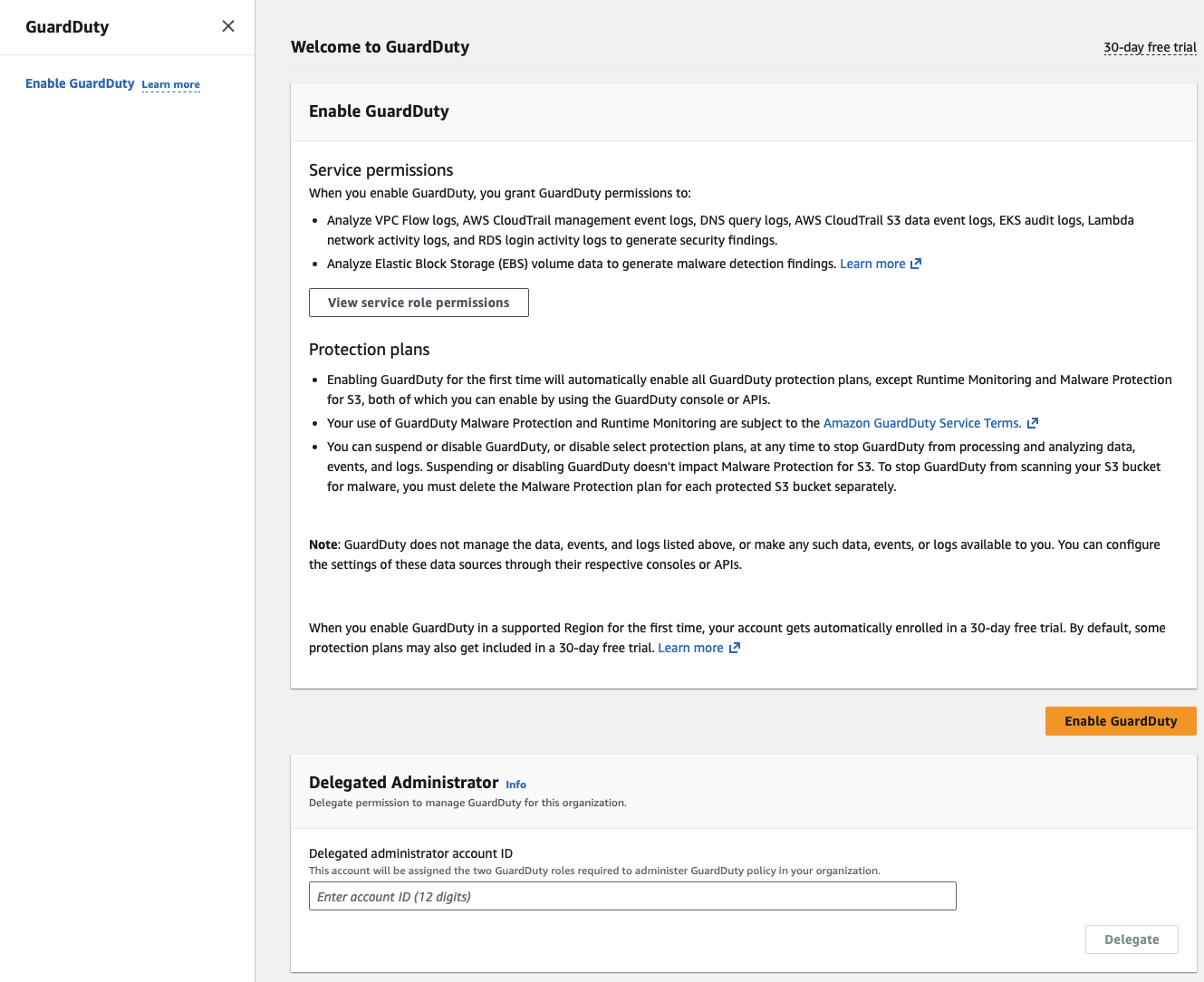
In the management account, I first delegate administration to a new GuardDuty account before enabling it.
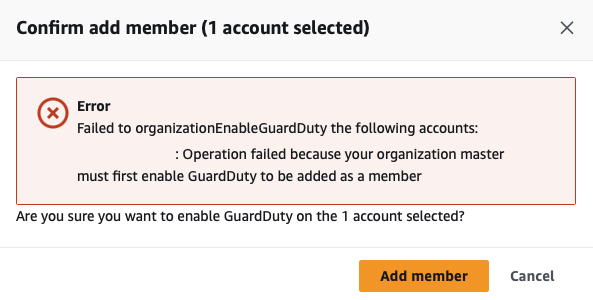
GuardDuty will return the following error during configuration if not enabled in the management account.
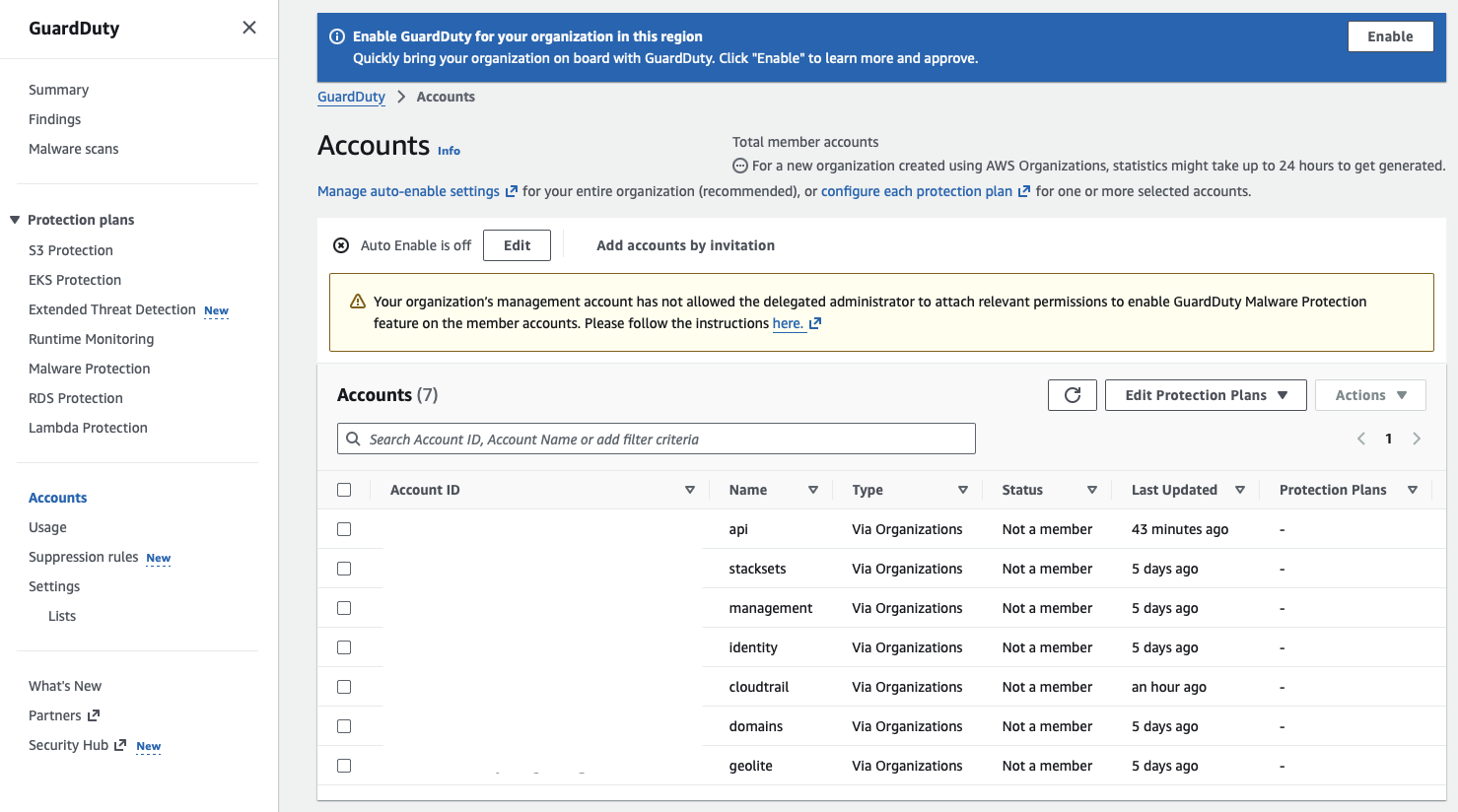
I want to enable Auto Enable for GuardDuty so that when new accounts join the organization, they receive security monitoring by default.
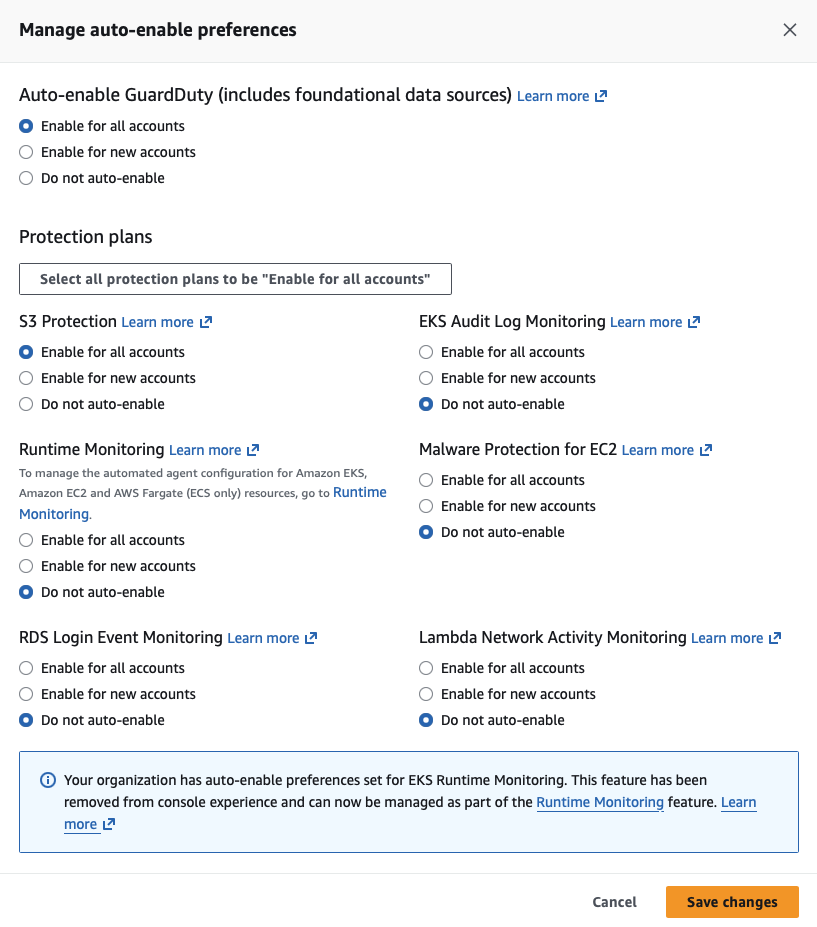
In addition to the foundational data sources, I also added S3 Protect to monitor my buckets.
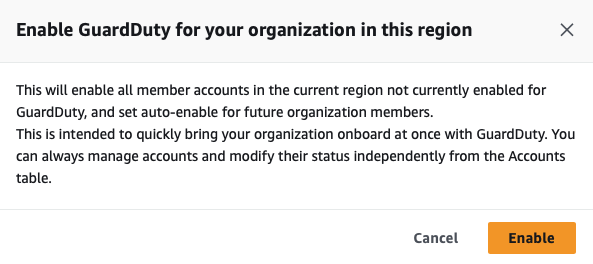
Now I click Enable, which starts GuardDuty for the organization in this region.
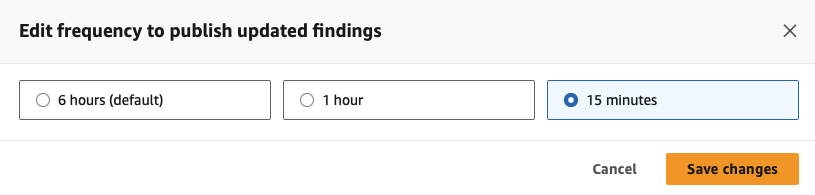
I also increased the frequency at which GuardDuty publishes findings. Rinse and repeat for the 17 default regions and any others that are available for full organization coverage.
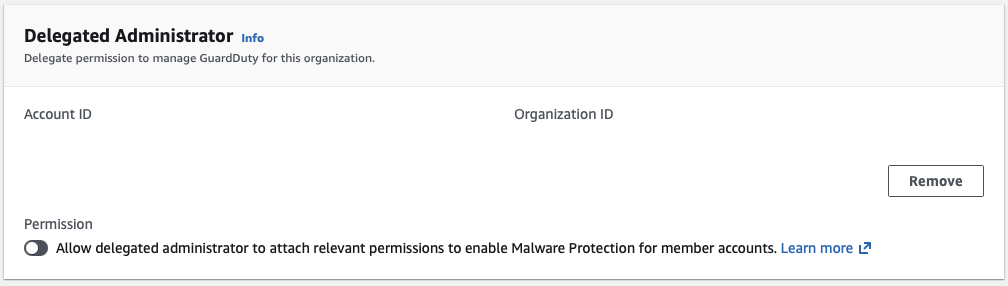
Last step: log back into the management account and enable Malware Protection, which only needs to be done in a single region. It would be nice if the rest of GuardDuty weren’t per-region settings, too.
tags: aws - guardduty - threat - monitoring